 Planning integrationMicrosoft Project
Many construction teams already manage planning in Microsoft Project. Bimefy lets that schedule become part of the wider project context without asking teams to replace their planning tool.
Export a Microsoft Project schedule as XML and import it into Bimefy. The import reads planning structure including named tasks, dates, durations, predecessor links, milestones, hierarchy and progress information, so activities can be used inside the project rather than viewed only as a separate file.
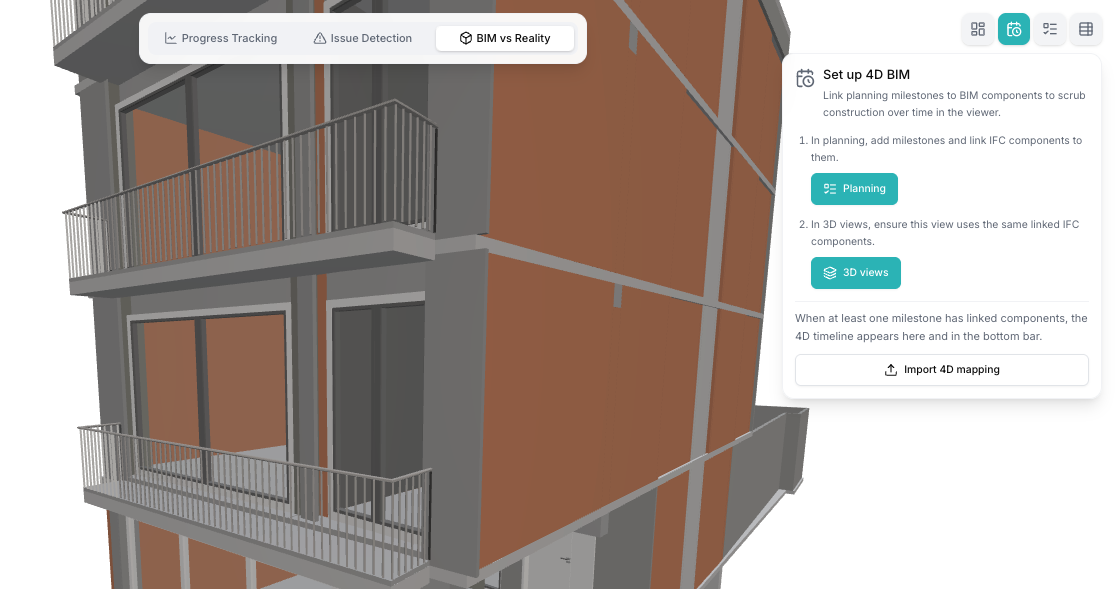
Once imported, activities can be linked to BIM components and viewed alongside construction progress, 360° captures, camera imagery and other site-reality sources. Microsoft Project provides the timeline; BIM provides the spatial context; Bimefy connects the two.
The workflow is deliberately file based, not a continuous live synchronisation. Bimefy can also export planning data as Microsoft Project XML, so teams can continue schedule management in Microsoft Project while using Bimefy for 4D, reality and planned-vs-actual context.
What bringing a Microsoft Project schedule into Bimefy supports.
Export a schedule from Microsoft Project in XML format and import the supported planning data into a Bimefy board.
Imported tasks retain their outline and hierarchy information so the schedule remains understandable inside Bimefy.
Task names, dates, durations, dependencies, milestones and progress information are used to build the planning view.
Connect activities with BIM elements to visualise the construction sequence over time in the model.
Review imported planning information alongside supported site reality and progress evidence during project monitoring.
Export supported planning data as Microsoft Project XML for continued planning work outside Bimefy.
A timeline is more useful when teams can see what each activity represents spatially and review it with current site conditions.
Microsoft Project and Oracle Primavera can both provide schedule context in Bimefy; they serve different planning workflows.
Best for file-based planning workflows: import Microsoft Project XML, connect activities with BIM, use planning in Bimefy and export supported planning data again.
For projects using Primavera as their scheduling environment, Bimefy supports Primavera connections and XER or MS Project file imports without presenting either route as a live replacement for the planning tool.
Explore Oracle PrimaveraConstruction site intelligence connects these ideas — here's how they relate.
A clear file-exchange workflow, from schedule import to planning data export.
Export the construction schedule as Microsoft Project XML in the format supported by Bimefy.
Bring the schedule structure and supported task data into the correct Bimefy project board.
Link activities with BIM elements to create a time-based view of the construction sequence.
Use the schedule alongside supported progress, camera and reality-capture information for project review.
Export supported planning information as Microsoft Project XML when the schedule needs to continue in Microsoft Project.
Construction planning workflows that become clearer when the schedule is connected to the project context.
Connect Microsoft Project activities with BIM elements to visualise the construction sequence over time.
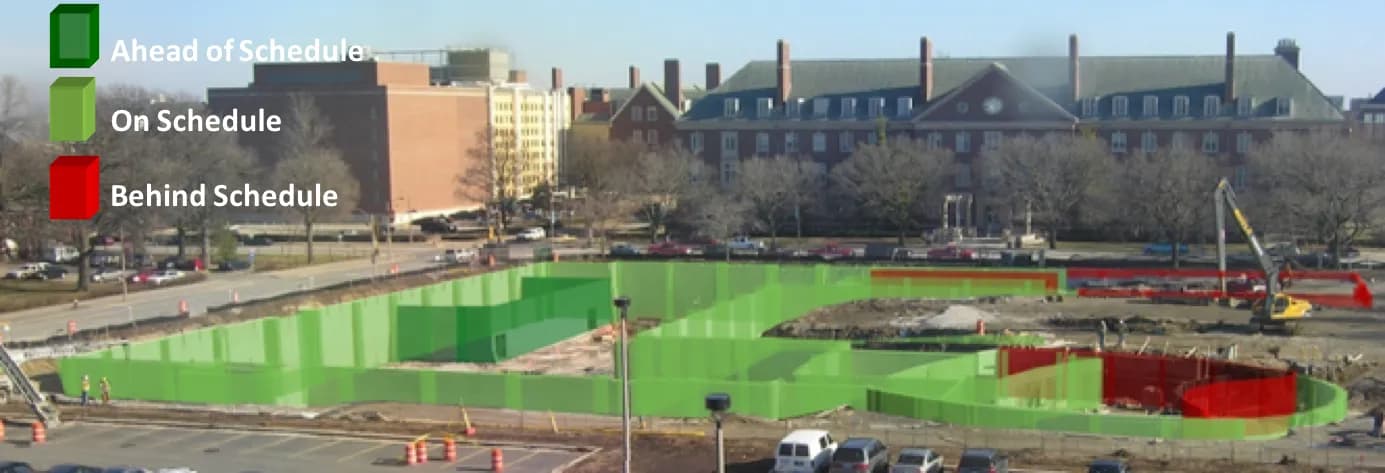
View planned activities alongside captured construction progress and current site reality.
Use the BIM model and schedule together to understand what should be built, where and when.
Use current site conditions alongside the imported schedule during project reviews.
Make complex construction schedules easier to understand by connecting activities with the physical model.
Import supported schedule information from Microsoft Project and export supported planning data back to the existing workflow.
Microsoft Project manages the construction timeline: tasks, dates, dependencies, milestones and planning. For teams that already use it, that remains the place to manage the schedule.
Bimefy adds the context around that timeline: BIM, 4D visualisation, reality capture, site progress and planned-versus-actual review. Together, teams can see not only when work is planned, but where it happens and how it relates to actual construction progress.
Bimefy does not replace Microsoft Project. The XML import-and-export workflow keeps planning data exchange explicit and lets each system do the job it is designed for.
Roles that use schedule information alongside the physical project.
Other systems Bimefy connects with
Connect construction schedules with BIM and captured site progress, and compare the programme with what the site shows.
View integrationBring Autodesk models, folders and file versions into Bimefy, and compare them with captured site reality.
View integrationCapture construction sites with Insta360 X-series cameras through Bimefy's mobile reality-capture workflow.
View integrationConnect your own cameras, capture pipelines and sensor systems to Bimefy with scoped API tokens.
View integrationSee how Bimefy can connect your existing construction systems and turn site data into project intelligence.










Trusted by innovation driven companies