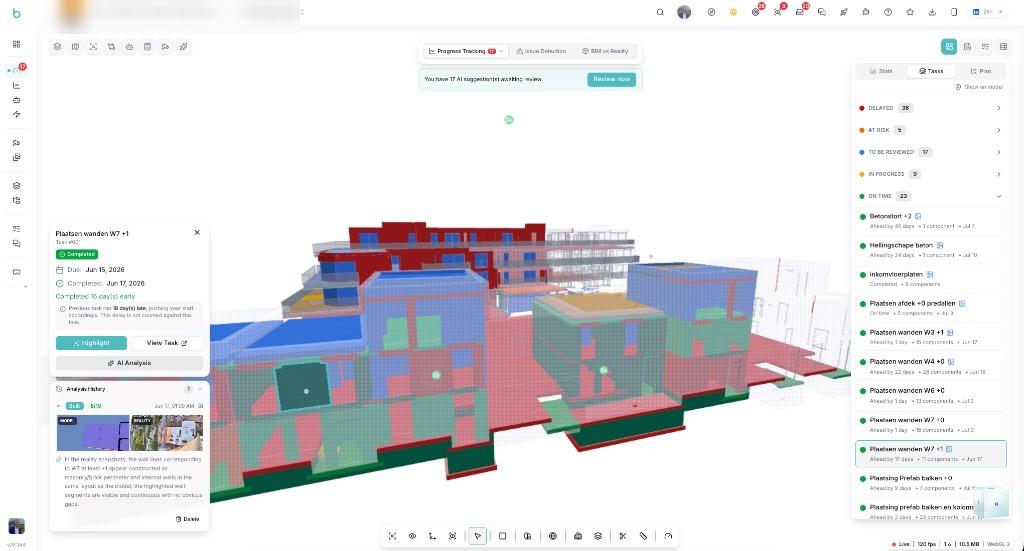
Understanding actual construction progress requires connecting several different sources of information: what is visible on site, what was designed in BIM and what should have been completed according to the planning.
Without a shared view of those three elements, project teams can spend significant time interpreting progress and determining where reality differs from the plan. The team wanted to make that comparison easier to see and discuss directly from the project information.
On this project, site captures are brought into Bimefy and viewed alongside the BIM model and the project planning, so the team can compare planned and actual conditions in one place.
Site captures are brought into Bimefy to create a visual record of how the construction is progressing over time.
The site information is viewed alongside the BIM model and the project planning, allowing the team to compare what is visible on site with what was designed and scheduled.
The team can use the same project view to review progress, identify differences between planned and actual work and discuss where follow-up may be needed.
What this looks like in Bimefy
Site captures create a dated visual record of construction progress.
Reality can be reviewed in the context of the BIM model rather than separately.
Planning activities can be linked to BIM components so scheduled progress can be visualized spatially.
The team can compare the expected construction state with what is visible on site.
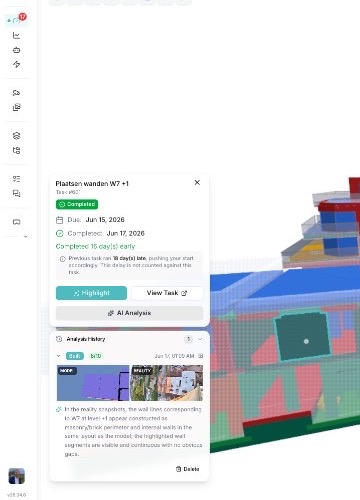
Where site captures can be compared with the model, Bimefy can suggest progress updates. The team reviews those suggestions before they become part of the project record.
The team can review construction progress with site reality, BIM and planning in the same project environment.
Instead of discussing progress only as percentages or isolated reports, the team can look at the underlying project information and see where completed work, outstanding work and planning differ. This creates a clearer shared picture of project status and makes deviations easier to identify and discuss earlier.
Connect site reality, BIM and planning in one environment to understand what has been built, what is still outstanding and where progress differs from the schedule.










Trusted by innovation driven companies
See how other construction teams work with Bimefy
Building & Partners uses Bimefy as its Common Data Environment to move project information from WIP to Shared to Published through controlled approvals.
View use caseA large contractor combines dedicated Bimefy cameras with its existing security cameras, which share a scheduled site image once an hour, so project stakeholders can see more of the construction site from one project environment.
View use caseAPK Wegenbouw and its partners capture site works in 360° at successive moments and compare each walkthrough directly with the BIM model.
View use caseConstruction site intelligence connects these ideas — here's how they relate.